
SPF vs DKIM vs DMARC: 2026 Guide
If your emails are not reaching the inbox, it is not always a content problem. In most cases, it is an authentication problem.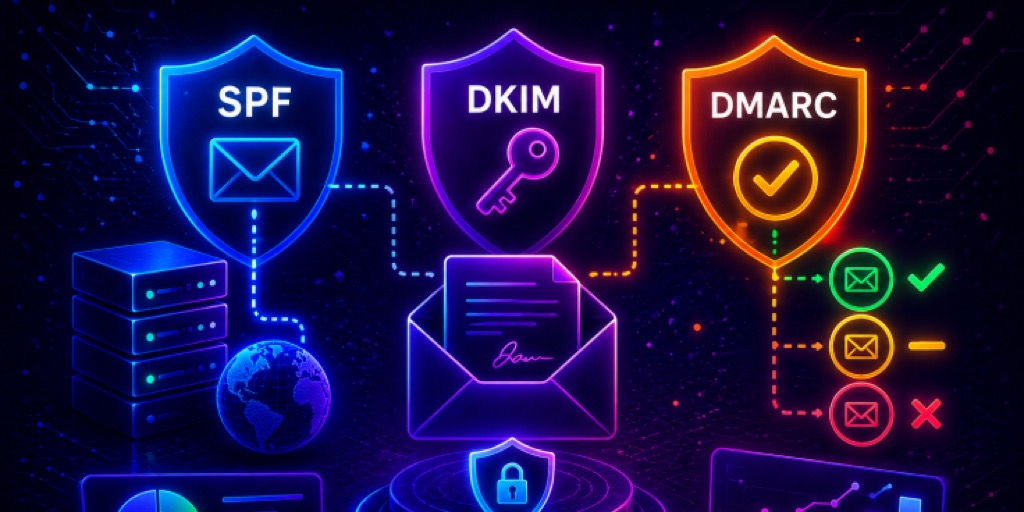
You can write the perfect email, but if your domain is not properly authenticated, mailbox providers will still treat it as suspicious. This is exactly why many businesses struggle with low deliverability, even when they follow best practices.
The confusion usually comes from not fully understanding SPF vs. DKIM vs. DMARC. These three protocols are often grouped together, but they do very different jobs. SPF checks where your email is coming from. DKIM protects the message itself. DMARC decides what happens if something goes wrong. Missing even one of these can create gaps that attackers exploit or cause your emails to land in spam.
In this guide, you will learn how SPF, DKIM, and DMARC actually work, how they differ, and how to use them together to improve deliverability and protect your domain in 2026.
What is SPF
Sender Policy Framework (SPF) is an email authentication method that helps verify whether an email is sent from an authorized server. In simple terms, it tells receiving mail servers, "These are the sources allowed to send emails on behalf of my domain." For a deeper look, read what an SPF record is.
SPF works through a DNS record. Domain owners publish a list of approved sending servers (usually IP addresses or third-party services like email platforms) in their domain's DNS. When an email is received, the receiving server checks this record to confirm if the sender is legitimate.
This is why SPF is often the first step in understanding SPF vs. DKIM vs. DMARC. It focuses solely on verifying the sender's identity, not the message's content or integrity.
SPF helps reduce email spoofing, where attackers pretend to send emails from your domain. However, it does not guarantee that the email hasn't been altered, and it does not work well with forwarded emails.
Even with these limitations, SPF is a foundational layer of email authentication. When combined with other protocols like DKIM and DMARC, it plays an important role in improving email deliverability and protecting your domain from misuse.
How SPF Works
First, the receiving mail server checks which domain the email is coming from using the "Return-Path" address. Then, it looks at that domain's SPF record in the DNS. This record is basically a list of all the servers allowed to send emails for that domain.
Next, the server checks if the email was sent from one of those approved servers. If it finds a match, the SPF check passes. If not, the email may fail the check or be marked as suspicious.
In the SPF vs DMARC vs DKIM comparison, SPF is the simplest method because it does not look at the email's content. It only checks whether the email came from the right source.
What is DKIM
DomainKeys Identified Mail (DKIM) is an email authentication method that helps ensure an email has not been altered after it is sent. It does this by adding a digital signature to each outgoing message, acting like a seal that proves the email is authentic. See our full guide on what DKIM is and how email verification works.
To set up DKIM, a domain creates two keys: a private key and a public key. The private key is used by the sending server to sign emails, while the public key is published in the domain's DNS for verification.
In the DKIM vs. SPF vs. DMARC comparison, DKIM plays a different role than SPF. Instead of checking where the email comes from, it focuses on protecting the content of the message. If the email is modified at any point during delivery, the signature will no longer match, and the check will fail. This makes DKIM effective against tampering and certain types of email fraud.
Another advantage is that DKIM continues to work even when emails are forwarded. When combined with SPF and DMARC, it improves deliverability and security.
How DKIM Works
DKIM works by adding a digital signature to each email so the receiving server can check if it is valid. When an email is sent, the sending server uses a private key to create this signature. It is based on parts of the email, such as the content and some headers, and added to the email as a DKIM header.
When the email reaches the recipient's server, it reads this header to find the sending domain. Then, it looks up the public key stored in that domain's DNS. Next, the server uses this public key to check the signature. If the signature matches the email, the DKIM check passes. If it does not match, the email fails the check.
In the DKIM vs. SPF vs. DMARC comparison, DKIM is important because it ensures the email content has not been altered during delivery.
What is DMARC
Domain-based Message Authentication, Reporting, and Conformance (DMARC) is an email authentication protocol that builds on SPF and DKIM. It helps domain owners control what happens when an email fails authentication. Learn more in what a DMARC record is and how it works.
With DMARC, you can tell receiving servers whether to allow, quarantine, or reject suspicious emails sent from your domain. This gives you direct control over how your domain is used and protects it from spoofing and phishing attacks.
In the DMARC vs. DKIM vs. SPF comparison, DMARC acts as the decision-maker. SPF and DKIM perform the checks, while DMARC uses their results to decide what to do next.
Another key feature of DMARC is reporting. It sends regular reports that show who is sending emails on your behalf and whether those emails pass authentication. This gives you visibility into your email ecosystem — learn how to read DMARC aggregate reports.
By combining policy control with visibility, DMARC helps improve both email security and deliverability when properly configured.
How DMARC Works
When an email reaches the recipient's server, it first runs SPF and DKIM checks. Then, DMARC looks at these results and also checks something called alignment. This means the domain used in SPF or DKIM must match the domain shown in the "From" address.
If at least one of these checks passes and is aligned, the email passes DMARC. If not, DMARC applies the policy set by the domain owner.
The policy can be:
- None (monitor only)
- Quarantine (send to spam)
- Reject (block the email)
SPF vs DKIM vs DMARC: Key Differences Explained at a Glance
| Feature | SPF | DKIM | DMARC |
|---|---|---|---|
| Main Purpose | Verifies sending source | Protects email content | Decides what to do if checks fail |
| What It Checks | Sending server (IP address) | Email content and signature | SPF + DKIM results + alignment |
| Works On | Return-Path domain | Message headers & body | "From" domain |
| Prevents | Sender spoofing | Message tampering | Domain abuse & phishing |
| Handles Forwarding Well? | No | Yes | Yes (with DKIM) |
| Policy Control | No | No | Yes (none, quarantine, reject) |
| Reporting | No | No | Yes (RUA/RUF reports) |
| Setup Complexity | Easy | Moderate | Moderate to Advanced |
DKIM vs DMARC vs SPF: Which One Should You Use in 2026?
If you are choosing between these three, the honest answer is simple. You should use all of them together. In the DKIM vs. DMARC vs. SPF comparison, each one solves a different problem. Using only one will leave gaps in your email security.
SPF checks if emails are sent from allowed servers, but it can fail when emails are forwarded. DKIM ensures the email content is not altered and continues to work even after forwarding. DMARC uses both SPF and DKIM results to apply rules and show you what is happening with your domain.
In 2026, email providers are very strict. Without proper setup, your emails may go to spam or get blocked. Using only SPF or DKIM is not enough anymore.
A simple approach is to set up SPF and DKIM first, then add DMARC in monitoring mode before enforcing it. To make this easier, you can use EasyDMARC's SPF Record Generator, DKIM Record Generator, and DMARC Record Generator. These tools help you set things up correctly and avoid common mistakes.
Roll them out in order
Start with SPF and DKIM so your legitimate sources authenticate, then publish DMARC at p=none to watch the reports before moving to quarantine and finally reject. Enforcing DMARC before your sources pass is the fastest way to block your own mail.
Final Thoughts: Why You Need All Three
SPF, DKIM, and DMARC are not alternatives. They work best together. SPF checks the sender, DKIM protects the message, and DMARC adds rules and visibility. Using all three improves security, deliverability, and control over your domain. Today, email providers are strict, so partial setup is not enough. For an easy start, try EasyDMARC's free 14-day trial. It helps you set up, monitor, and manage all three so your emails reach the inbox safely.